openSUSE Leap 16.0 is now available on Google Cloud Platform
openSUSE Leap 16.0 is now available on Google Cloud Platform with x86_64 and Arm64 images. You can launch a Compute Engine instance by selecting openSUSE Leap 16.0 under Public images. The Cloud Observability Ops Agent is not yet supported.

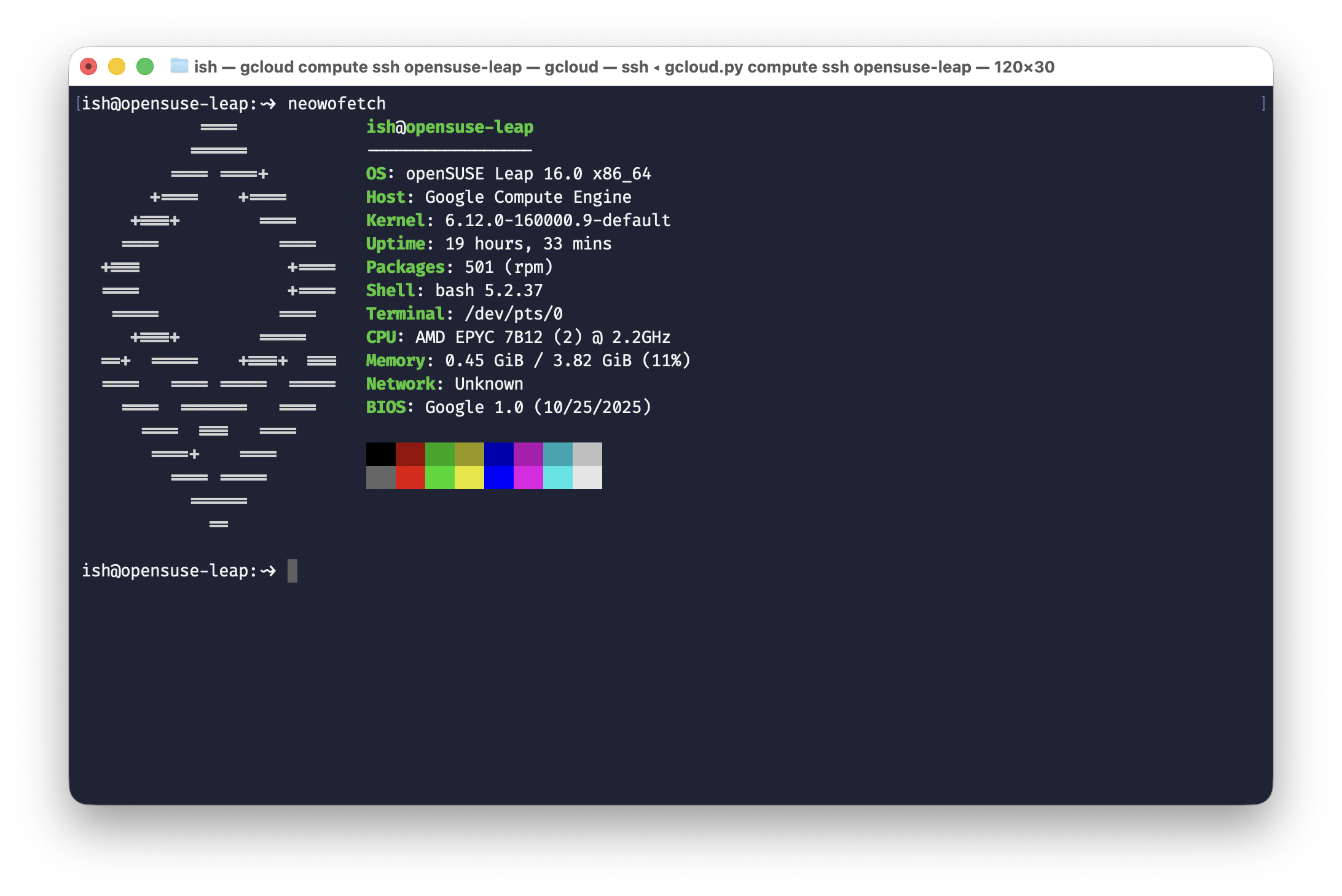
openSUSE Leap 16.0 is now available as a public image on Google Cloud Platform. Both x86_64 and Arm64 images were built on 16 February 2026 and are ready for use with Compute Engine instances.
Launching an instance with openSUSE Leap 16.0
Getting started with Leap 16.0 on GCP is straightforward. From the Google Cloud Console, navigate to Compute Engine > VM instances and click Create Instance.
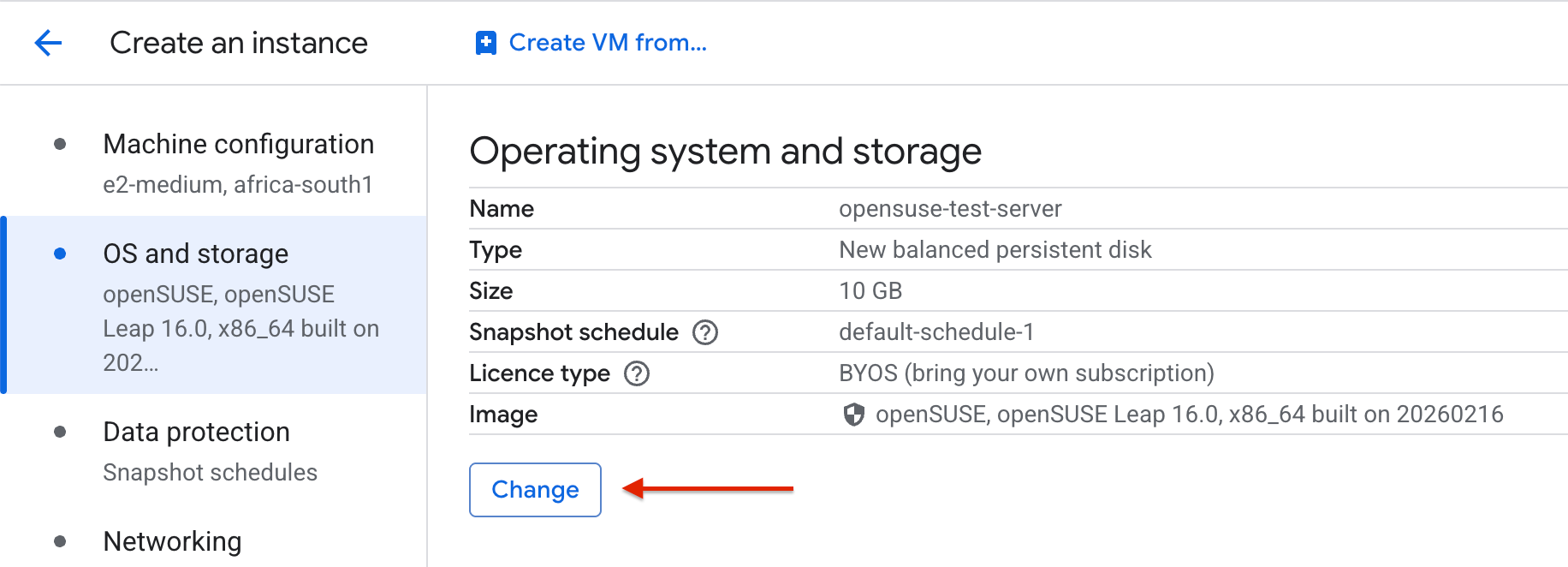
In the instance configuration page, scroll down to the OS and storage section and click Change to open the boot disk configuration panel.
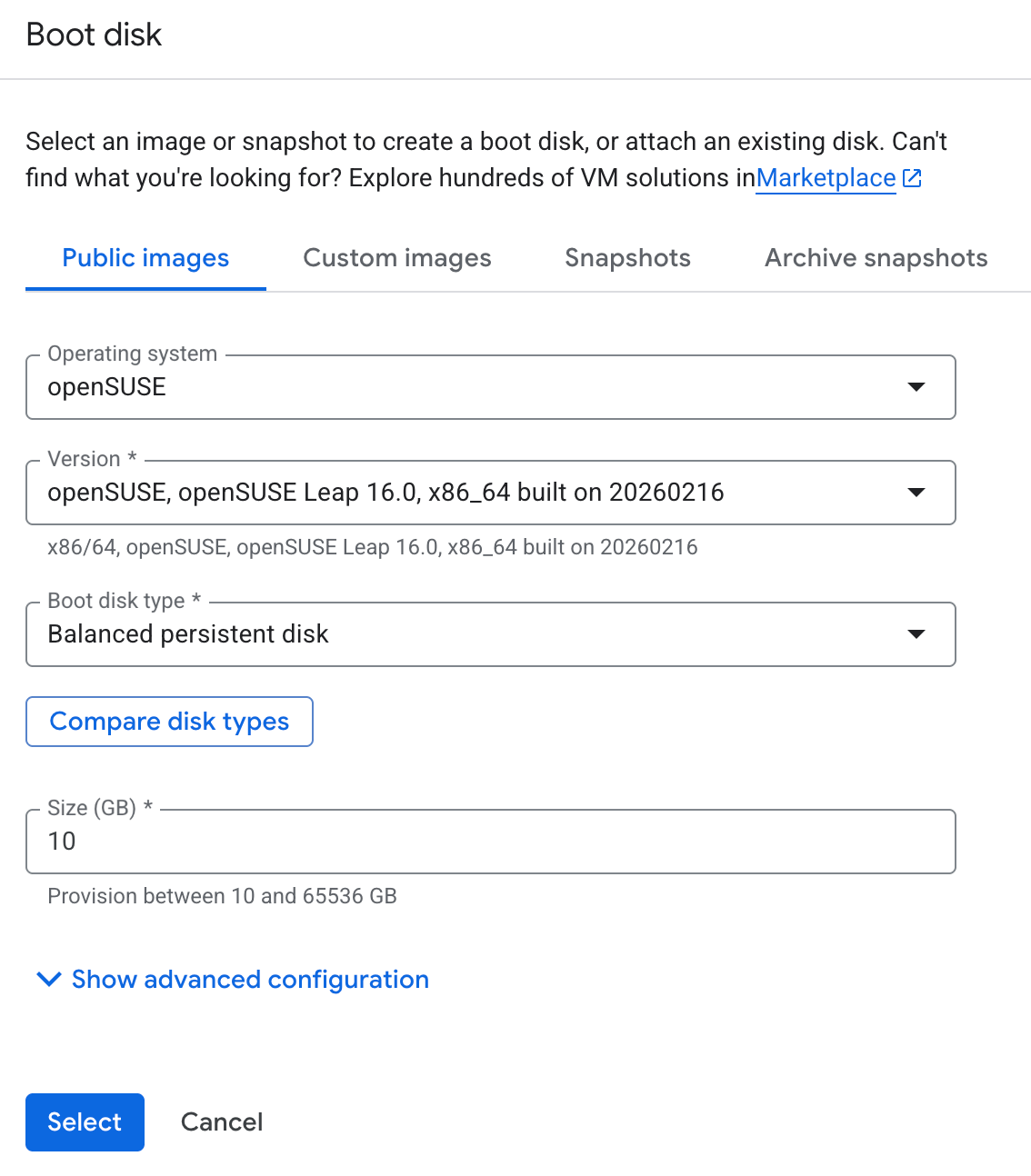
Under the Public images tab, select openSUSE from the Operating system dropdown. You will then see openSUSE Leap listed under the Version dropdown — select the openSUSE Leap 16.0 entry. Choose your preferred boot disk type and size, then click Select to confirm.
From there, configure the rest of your instance settings — machine type, networking, firewall rules — as you normally would, and click Create to launch your new Leap 16.0 VM.
A note on Google Cloud Observability
During instance creation, you will notice the Observability - Ops Agent section near the bottom of the configuration page. For supported operating systems, this provides a convenient Install Ops Agent for Monitoring and Logging checkbox that automatically installs the agent when the VM boots. However, with openSUSE Leap 16.0 selected as the boot disk image, this checkbox is greyed out and displays the message: "Not available for the selected image." This is because the automated installation method does not yet support Leap 16.0.
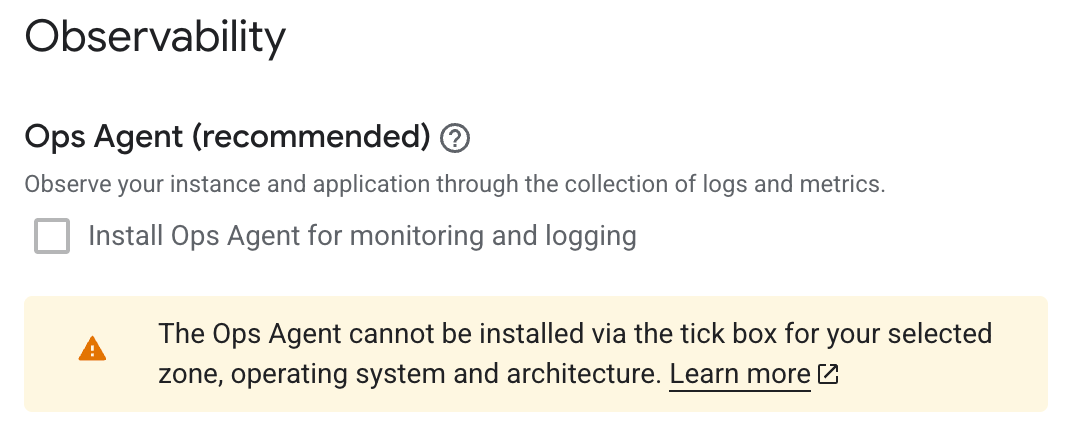
You might think the next step would be to install the Ops Agent manually via the command line. Google's installation documentation provides a script for exactly this:
curl -sSO https://dl.google.com/cloudagents/add-google-cloud-ops-agent-repo.sh
sudo bash add-google-cloud-ops-agent-repo.sh --also-install
Unfortunately, this does not work on Leap 16.0 either — and the reason is buried in how the script identifies your operating system.
Why does the script fail?
The script reads /etc/os-release to determine the OS family and version. For any SUSE-based distribution, including openSUSE Leap, it routes to a handle_suse function via a case statement in main():
sles|opensuse-leap) handle_suse ;;Inside handle_suse, the add_repo() function extracts the major version number and constructs a SLES-based repository codename:
local SUSE_VERSION=${VERSION_ID%%.*}
local CODENAME="${REPO_CODENAME:-"sles${SUSE_VERSION}"}"
On openSUSE Leap 16.0, VERSION_ID is 16.0, so SUSE_VERSION resolves to 16 and the codename becomes sles16. The script then attempts to add a repository at:
https://packages.cloud.google.com/yum/repos/google-cloud-ops-agent-sles16-$basearch-allThe problem is that this repository simply does not exist. Google currently publishes Ops Agent packages for sles12 and sles15, but there is no sles16 repository — SLES 16 itself has not been released yet. The script makes no distinction between SLES and openSUSE Leap; it treats both as the same platform and derives the repo path purely from the major version number. The result is a refresh_failed error telling you to check your network connectivity and verify that you are running a supported distribution.
This leaves openSUSE Leap users on GCP in a bit of a gap. While the Ops Agent officially supports Leap 15.6, that image is no longer available on GCP — only Leap 16.0 is offered as a public image. So the supported version cannot be deployed, and the deployable version is not supported. Until Google publishes a compatible repository for Leap 16.0, there is no straightforward path to running the Ops Agent on an openSUSE instance on GCP. Keep an eye on the Ops Agent supported platforms list for updates.
Installing the Leap 15.6 version of the agent isn't a viable workaround due to missing libraries.
Problem: 1: nothing provides 'libcrypto.so.1.1()(64bit)' needed by the to be installed google-cloud-ops-agent-2.63.0-1.sles15.x86_64As always, the openSUSE community welcomes feedback and bug reports — if you run into issues with the GCP images that are specific to the openSUSE project, report them through the openSUSE Bugzilla.